
Helix and Clojure
(updated: )
Clojure programmers are spoiled for choice when it comes to editors, with mature, featureful plug-ins available for Emacs, Vim/NeoVim and VSCode, or Cursive for the full-fat IDE experience.
But a few years ago, I fell in love with Helix, a batteries-included modal editor that felt a more natural fit to me than Vim, despite decades of experience with the latter. It’s finally reached a point where it’s viable for day-to-day Clojure development.
This post is about why I like it, and how I’m using it to write Clojure.
Note that, where it would be helpful for you to see exactly what I’m typing, I’ve enabled the showkeys.hx plug-in in Helix and Screenkey in NeoVim to display the keystrokes in the recordings. I don’t have that active in daily use.
A post-modern text editor
Helix is a modal text editor inspired by vi (via the earlier Kakoune, which pioneered most of the big ideas in Helix). Kakoune and Helix make at least two major departures from the vi lineage.
In vi, commands are entered in the form verb-noun. That is, you ordinarily specify what you want to do, then what you want to do it to.
Helix inverts this arrangement to noun-verb. In Helix, you create (and can see) a selection, then enter the command to operate on that selection.
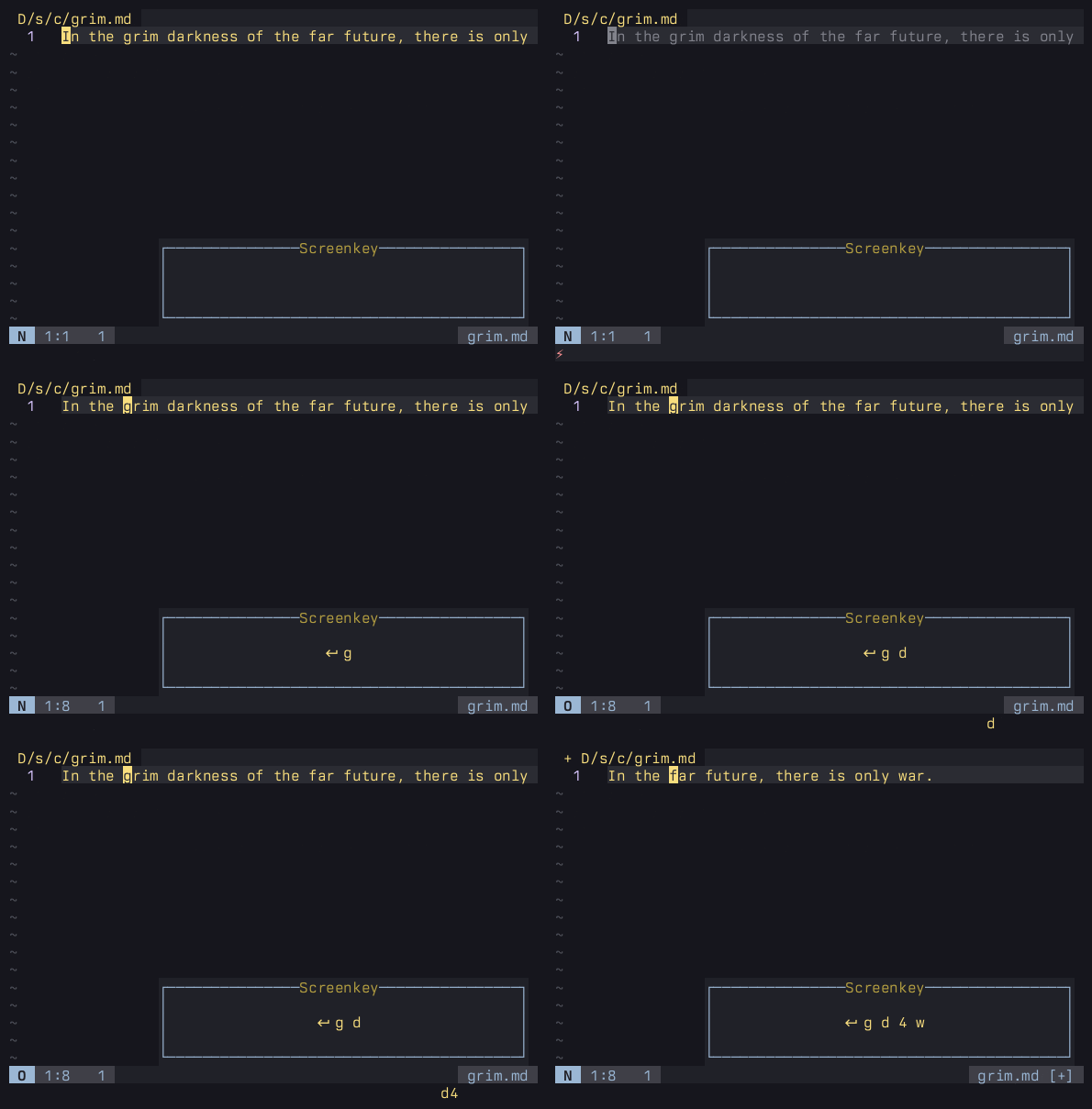
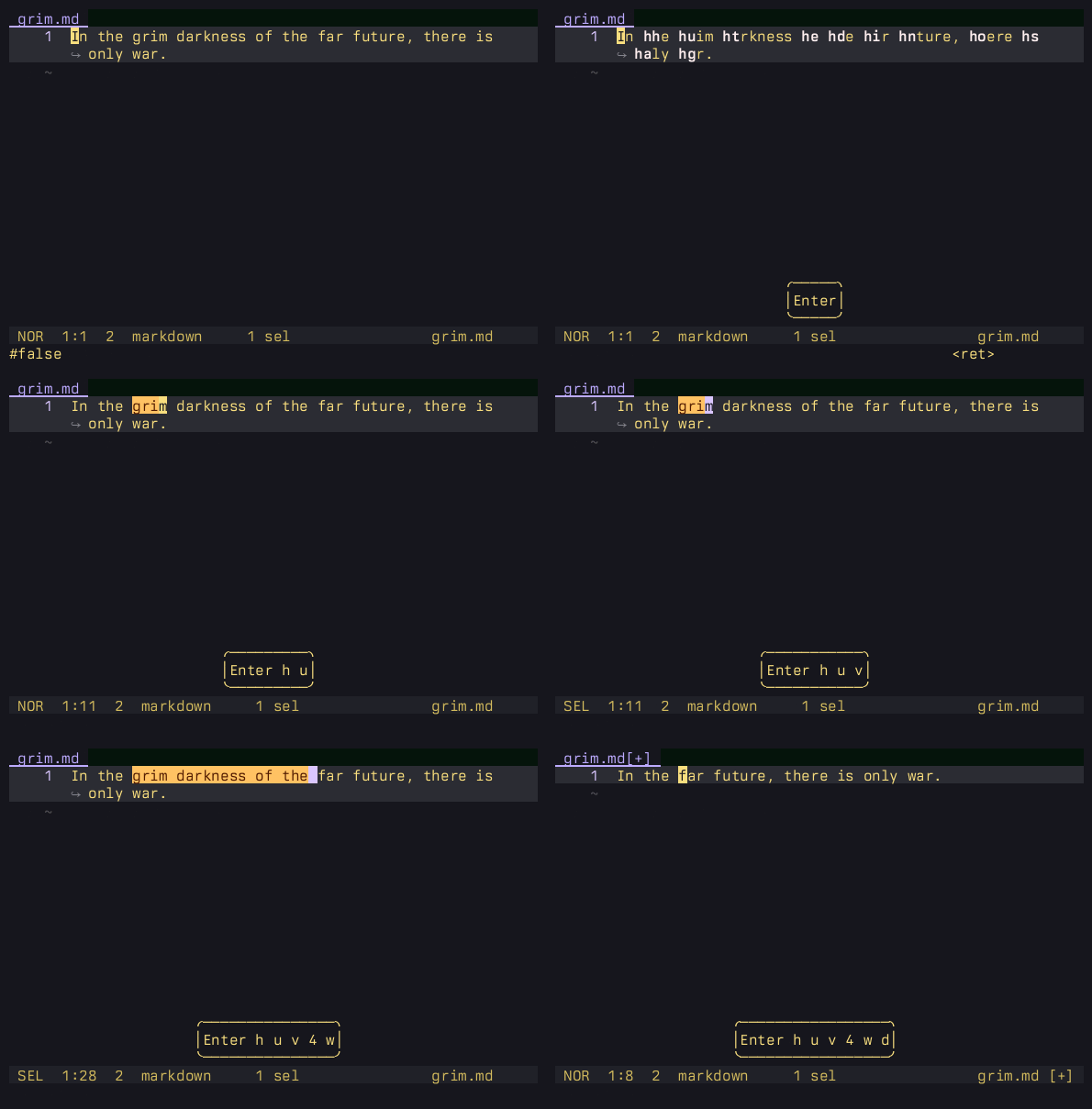
The (potential) benefit of this is that in Helix, you will always see what your command will operate on before you action it. If you find that your mental model of motions and actions often gets out of sync with the actual content of the buffer you’re editing, that can be a great boon. Moving the state out of your head and onto the screen can greatly reduce how regularly you need to undo and retry.
The trade-off is that Helix typically requires more keystrokes than vi to achieve the same end. If you’re currently thinking “actually no, that never happens to me, I didn’t even know vi had an undo” then, at least in terms of typing efficiency, Helix would be a significant retrograde step and probably has little to offer you.
I don’t mean to suggest either approach is strictly superior. Rather, I think most people (among those who jibe with modal editing to begin with) will naturally grok one approach more than the other. Personally, I had been using Vim almost daily since its inclusion on a Fish Disk in the 90s, yet Helix immediately felt more natural and reliable when I tried it. You too might discover that your brain isn’t wired exactly how you always thought.
The second big idea in Kakoune and Helix is that they were designed from the ground up around multi-selection editing. Of course, they’re very far from the only editors with multi-cursor functionality, but creating, narrowing, and splitting selections is exceptionally easy and intuitive in Helix, with every command that makes sense operating across all of them simultaneously.
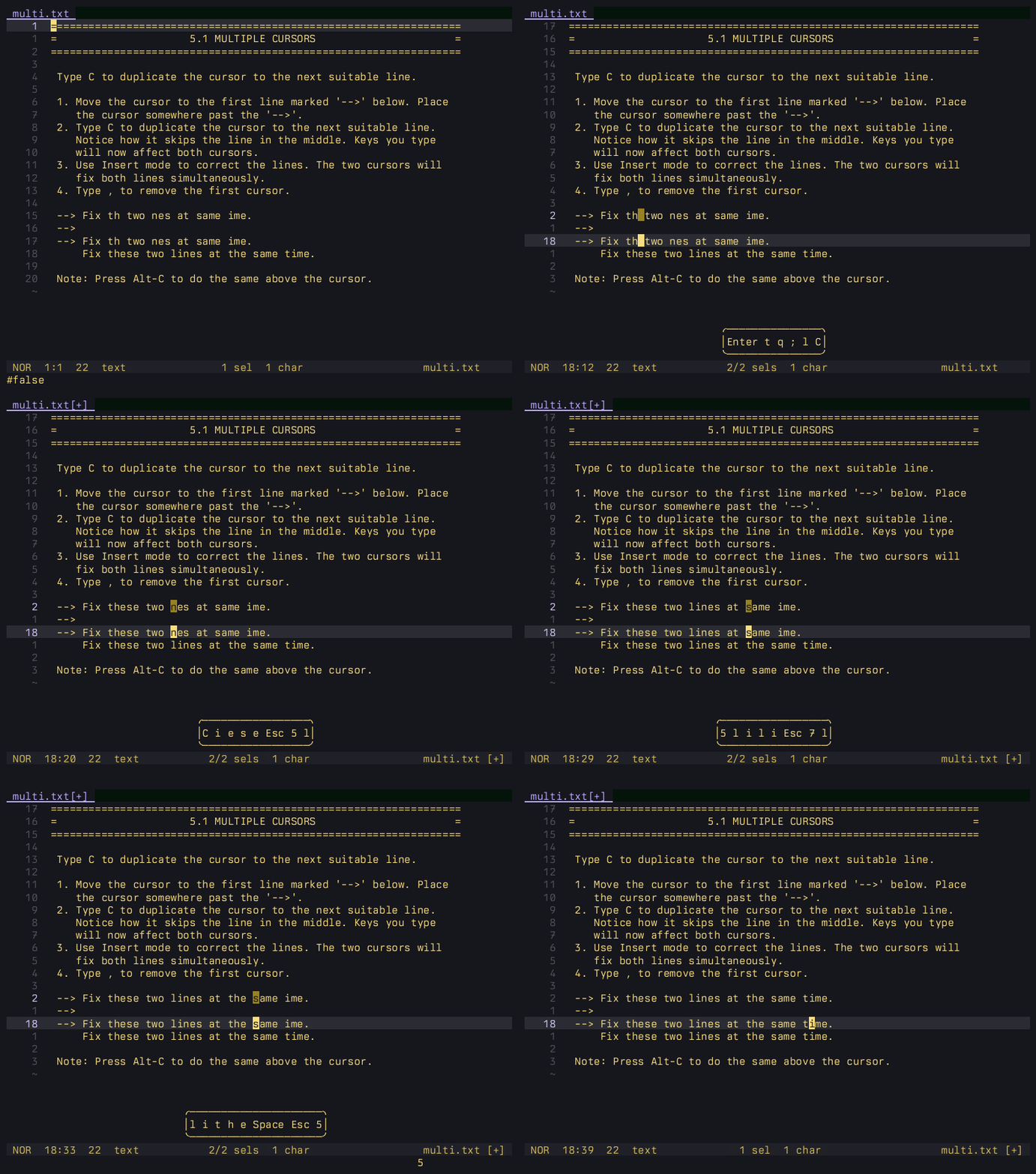
:tutor, demonstrating basic editing with multiple cursors.Besides this fundamental editing paradigm, Helix leverages built-in support for tree-sitter grammars and Language Server Protocol (LSP) for programming language support.
tree-sitter
tree-sitter is an incremental parser generator, enabling fast, efficient syntax highlighting. Helix ships with the tree-sitter-clojure grammar bundled.
Perhaps more interestingly, because tree-sitter parses code to a syntax tree, it also enables syntax-aware editing. With text object queries included in Helix’s standard distribution, Helix is effectively aware of Clojure forms. You can expand and contract selection by forms, or select entire functions, data structures or tests at once.
Obviously, this matching works with multiple cursors.
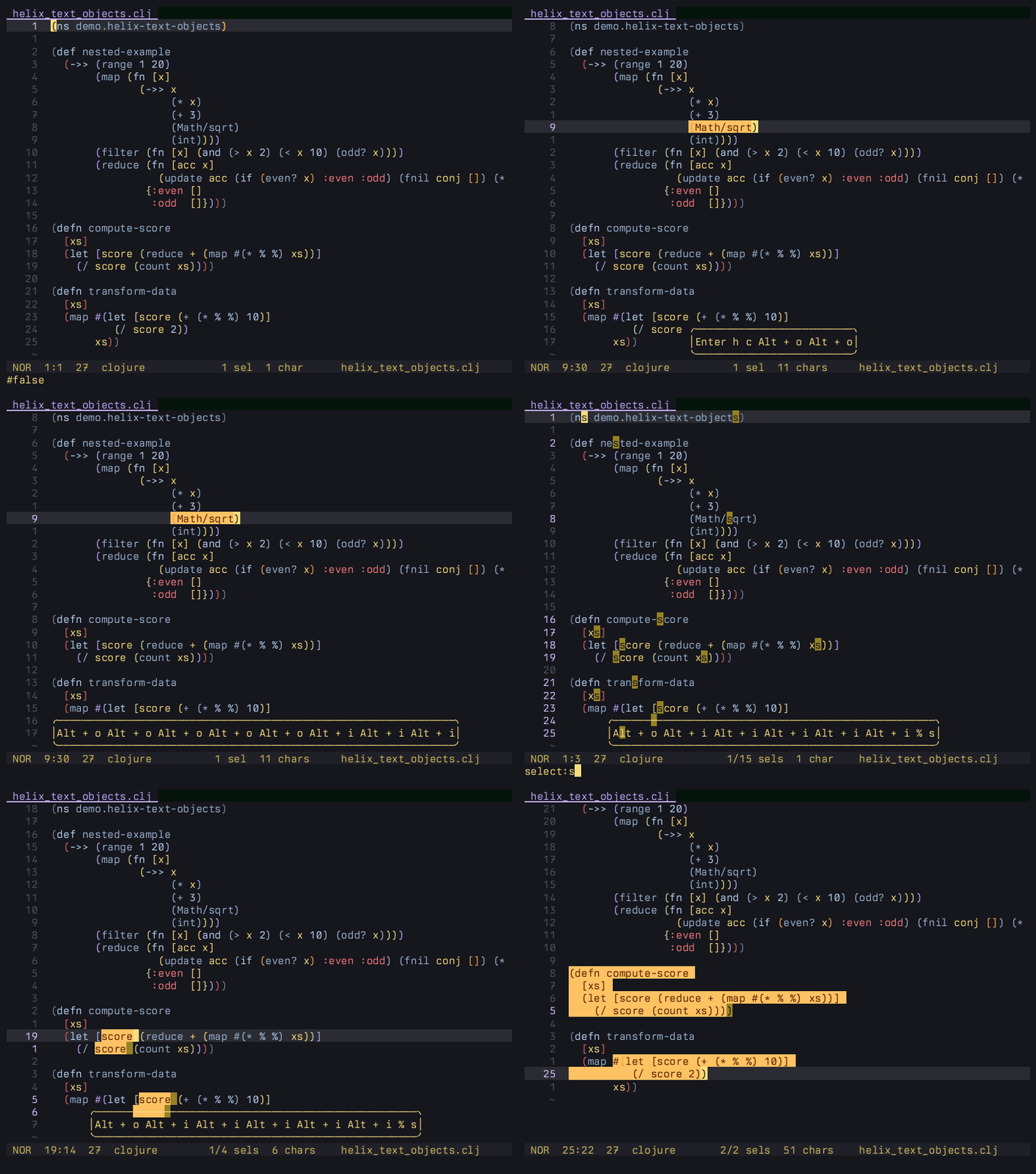
defn and #() shorthand.Language servers
If you have clojure-lsp installed, Helix is configured to use it by default, providing a whole range of code actions, static analysis, and refactoring functionality.
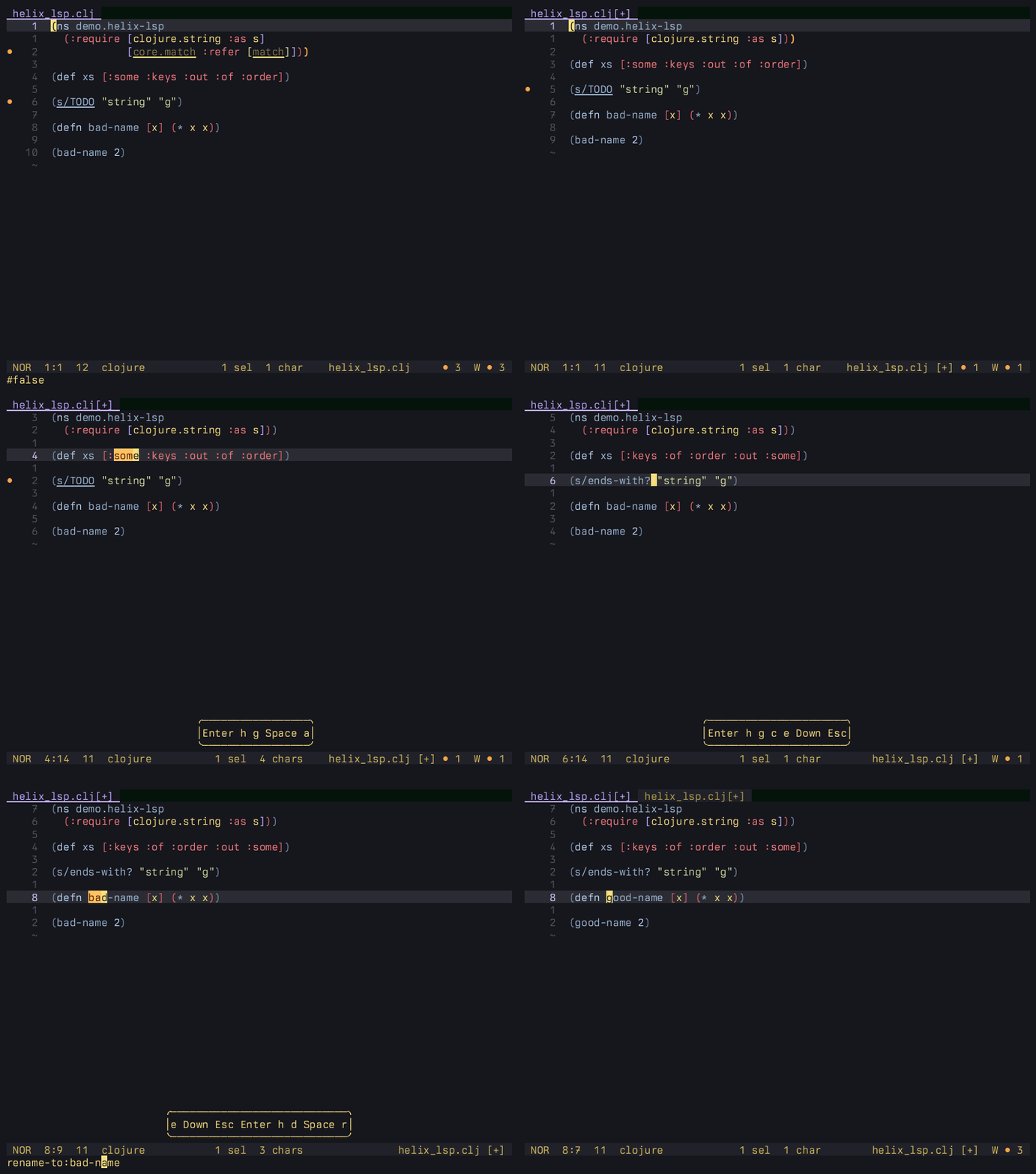
clojure-lsp.Of course, as cool as all of this is, it’s no use to Clojurers without REPL integration and, thus far, there’s been no way to achieve that in Helix.
Steel and nREPL.hx
So now the exciting bit.
Matthew Paras has been working on an embeddable Scheme interpreter for Rust called Steel, and a fork of Helix that uses Steel to provide a plug-in system, which has been blessed by the Helix team as the official solution.
While there’s currently no ETA for it to be merged to the mainline releases, Matthew is making steady progress, it’s already very stable and fully featured, and building it from source is barely any harder than installing Helix from a package manager.
Steel gives you an almost complete Scheme R5RS implementation plus FFI to Rust dynamic libraries. With some assistance from Claude Code with the Rust, I’ve used it to build nREPL.hx.
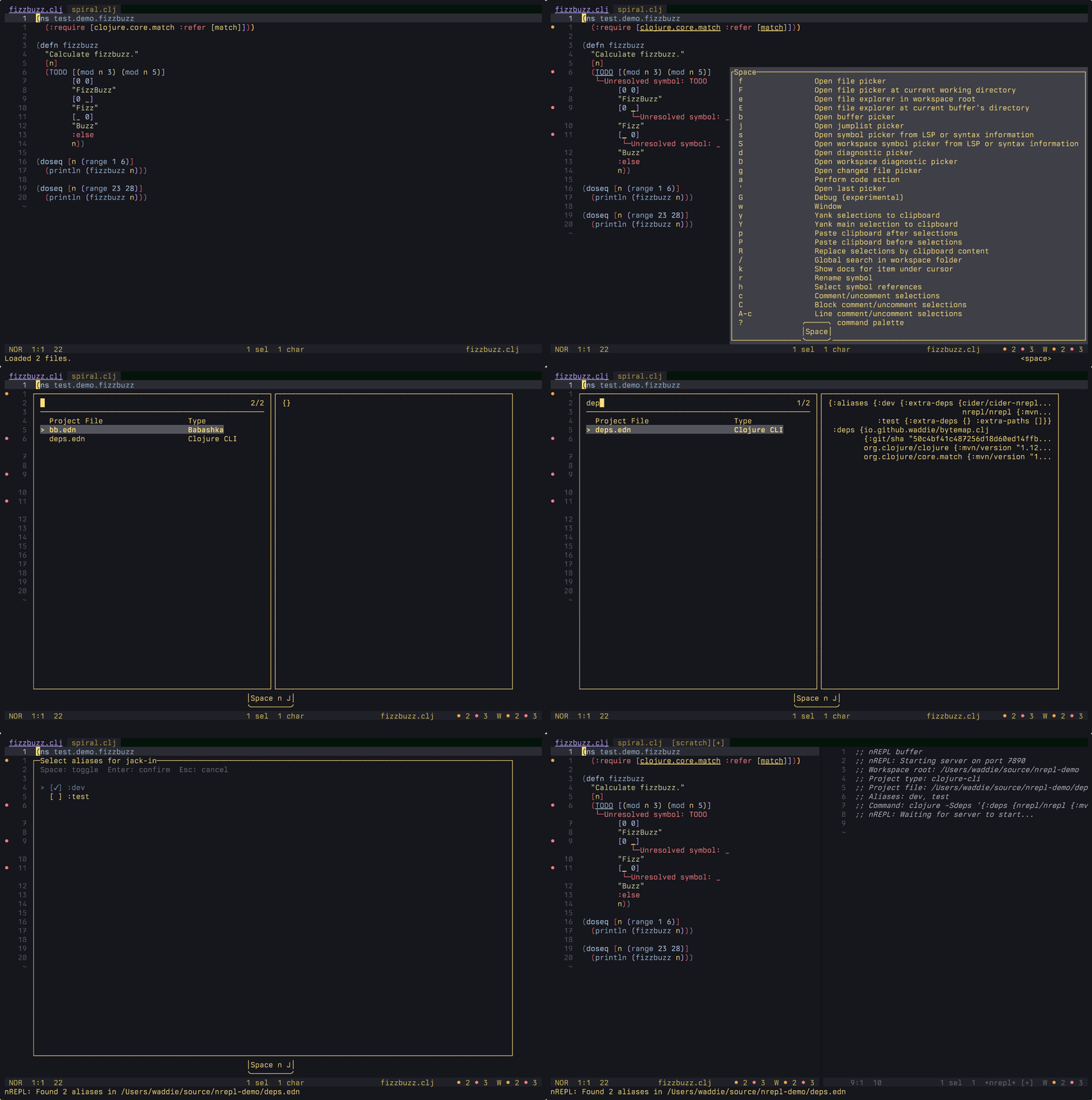
nREPL.hx can connect to an already running nREPL instance, or spawn and jack-in to a new one based on your
project file (with support for deps.edn, project.clj, or bb.edn) and alias selection with preview pickers and persistence between sessions.
It can eval via prompt, selection, multiple selections, entire buffer or by loading a file.
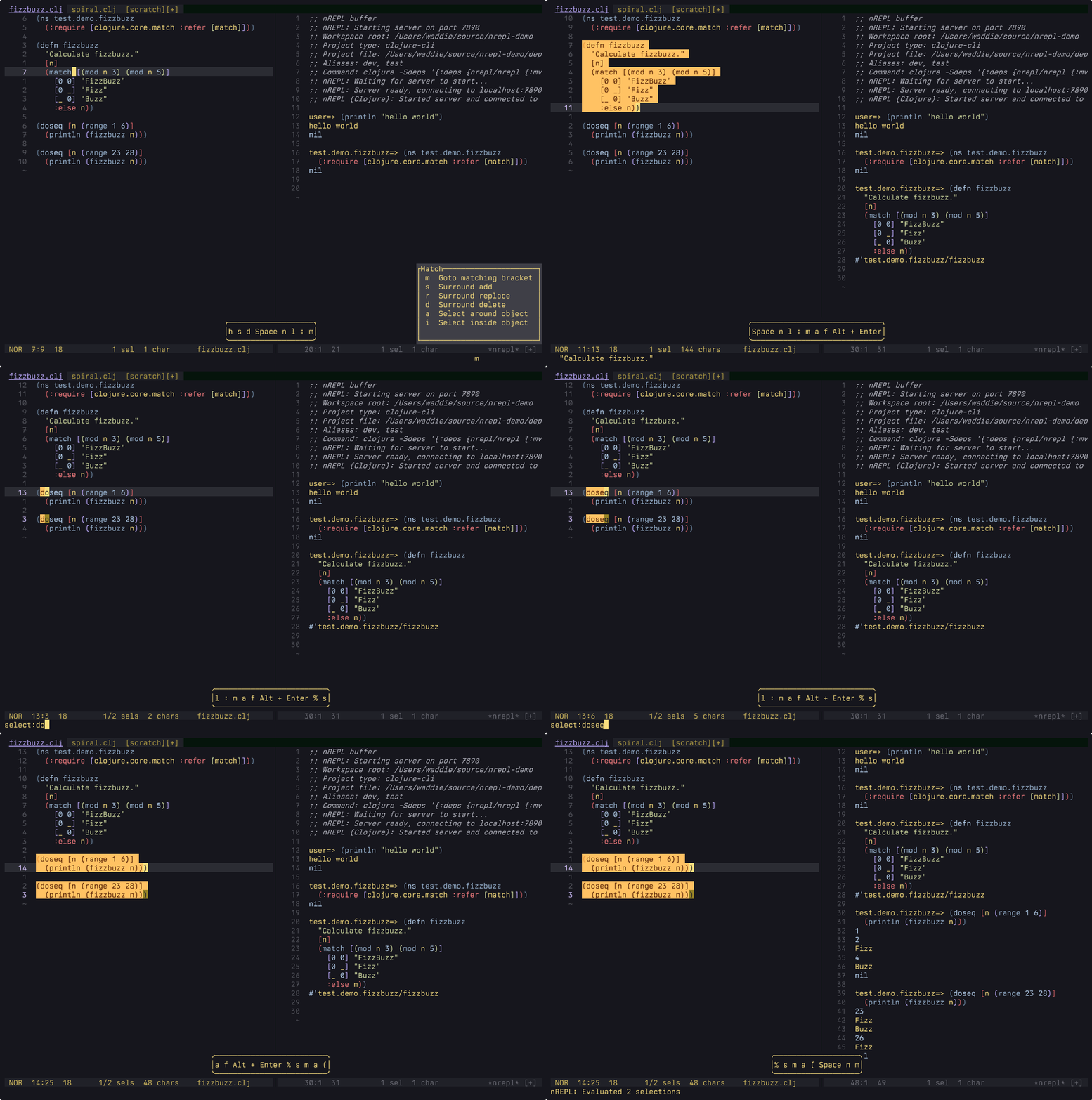
(Note that, in keeping with Helix’s noun-verb editing model, nREPL.hx always evaluates selections rather than a form you’re currently somewhere inside, as is common in many other editors.)
And, via cider-nrepl middleware, it has a symbol lookup picker, with docstring preview.
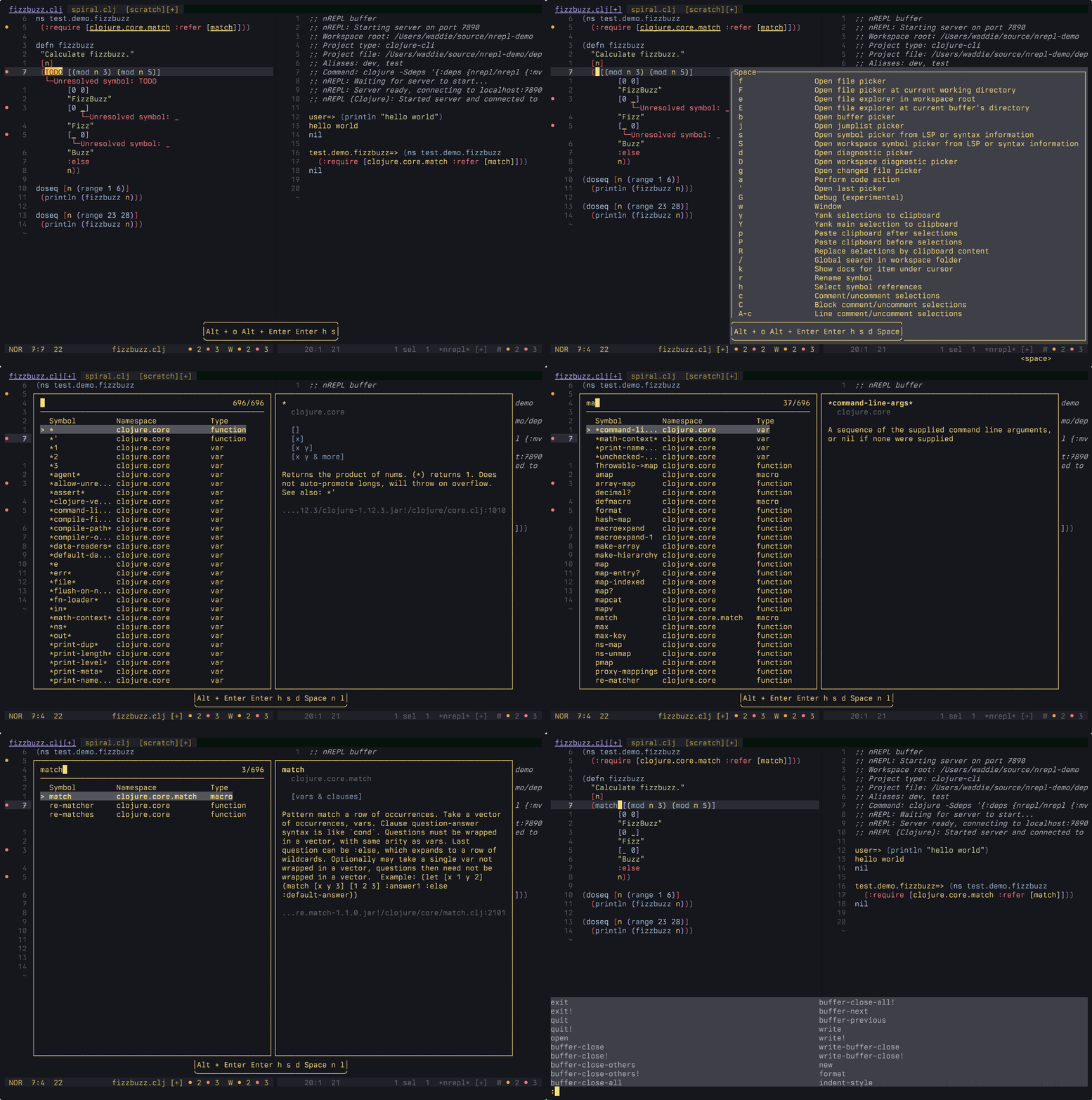
Obviously there’s a long way to go to match the functionality available in the more established Clojure editors. But there’s already enough of a foundation here for me to use it as my daily driver.
The biggest known flaw is that there is currently no way to interrupt an in-progress request (an early decision to ensure each RE and P would arrive in the order of submission that I didn’t think through properly), but it does have a configurable timeout, so I haven’t really missed it so far.
Note that you can find links to this and to other early Helix plug-ins at Helix Plugins.
Post updated on 2026-05-15
Migrated from old hosting, updated the examples, reflected merged PRs, etc.